How to bridge tokens
To bridge your tokens across chains, follow these steps:
- Open https://eta.finance/bridge
- Connect your Hedera wallet and an EVM wallet.
- Select the source chain and destination chain using the dropdown menus.
- Enter the amount of USDC you want to bridge. The interface will display the estimated amount you'll receive on the destination chain after fees.
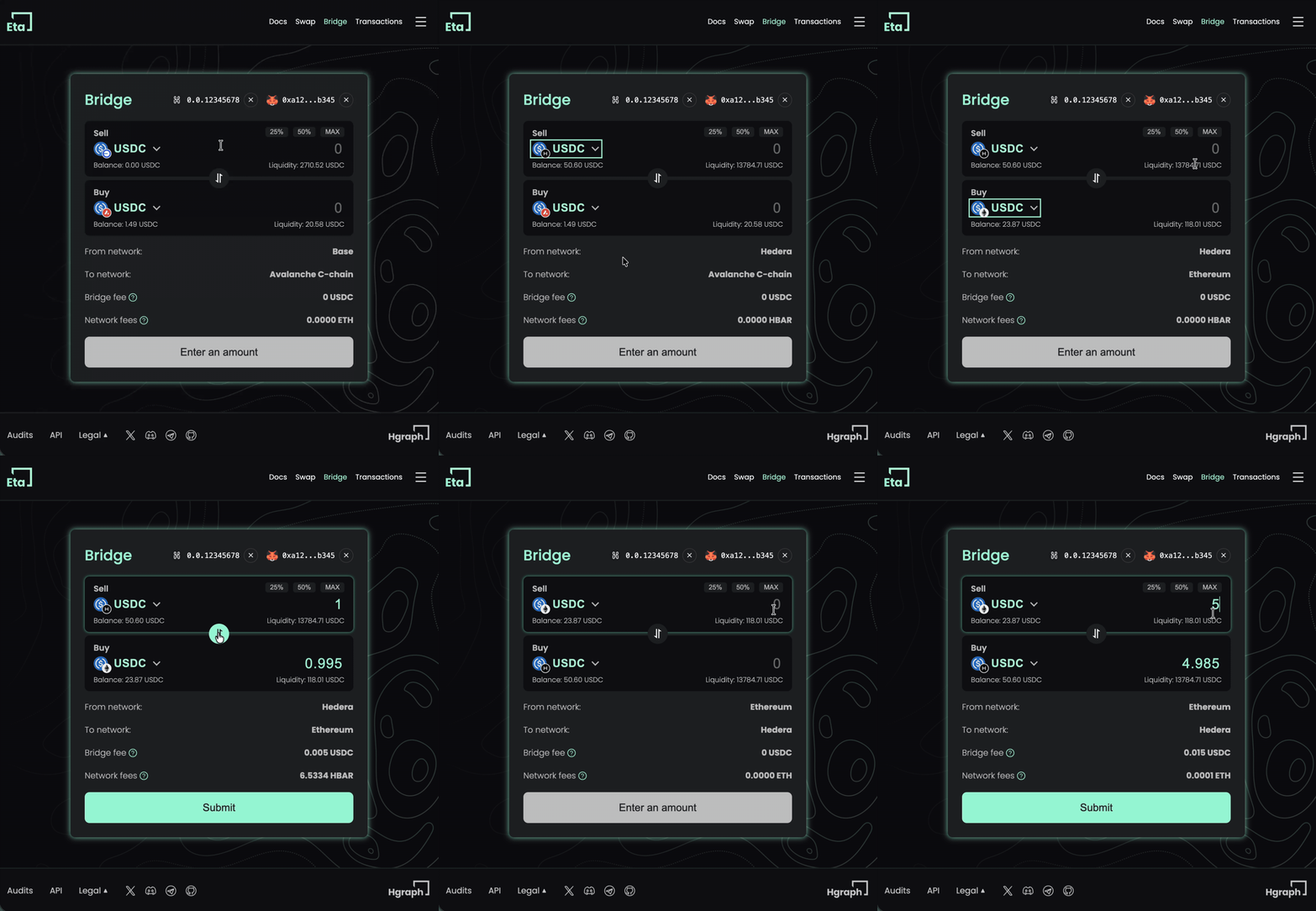
- Check that the destination chain has sufficient liquidity. If liquidity is low, you'll see a warning message. Do not proceed if liquidity is insufficient.
- Review the transaction details:
- Amount to send
- Estimated amount to receive
- Bridge fee
- Estimated time
- Click "Submit" to initiate the transaction.
- Your wallet will prompt you to sign two transactions:
- Approve allowance for the bridge contract to spend your USDC
- Execute the smart contract transaction
- After signing, the transaction will be submitted to the source chain. You can monitor the progress on the interface or visit the Transactions page to view all your bridge transactions. Each transaction includes a link to the LayerZero explorer where you can track the cross-chain message delivery in detail.
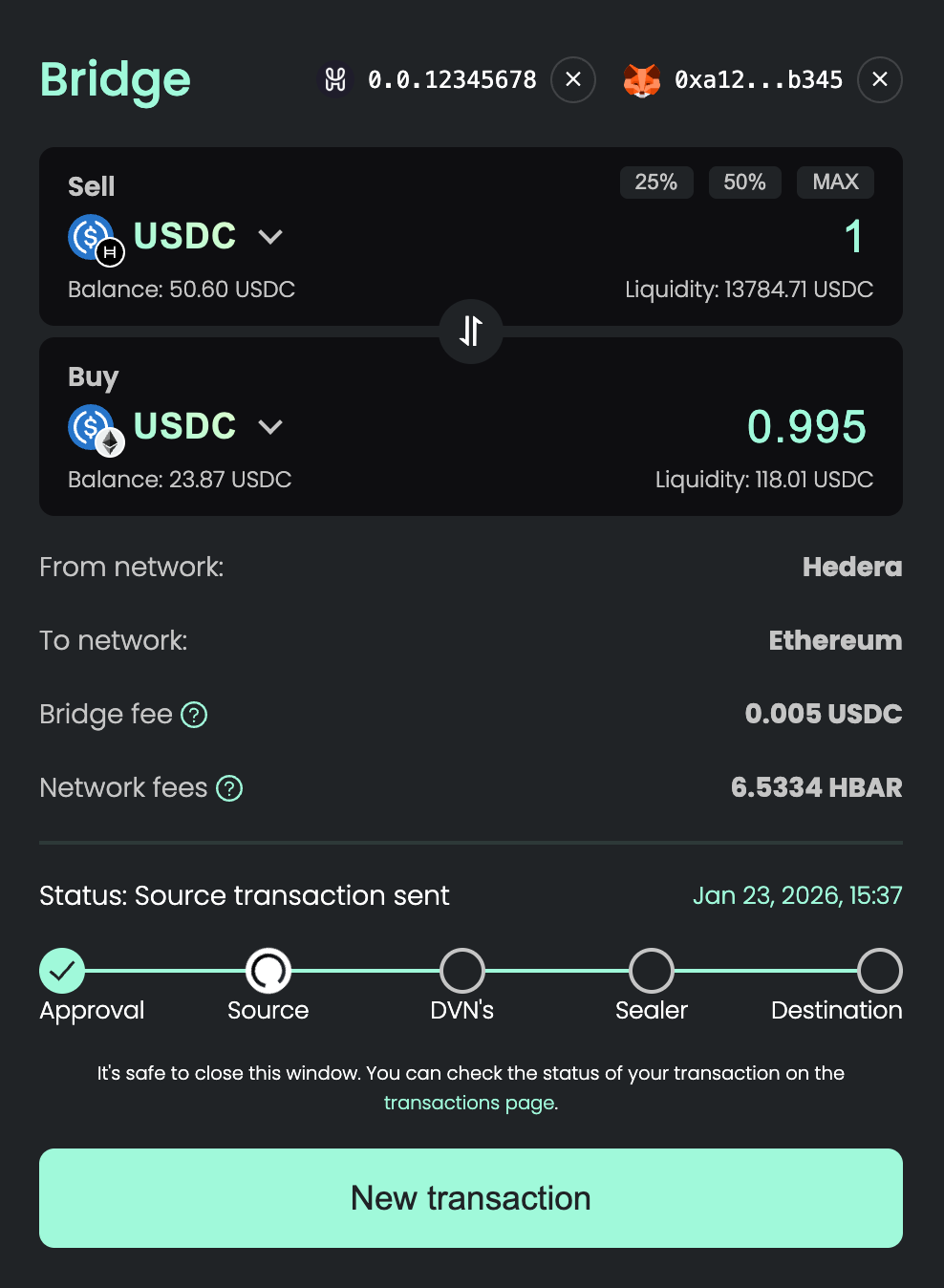
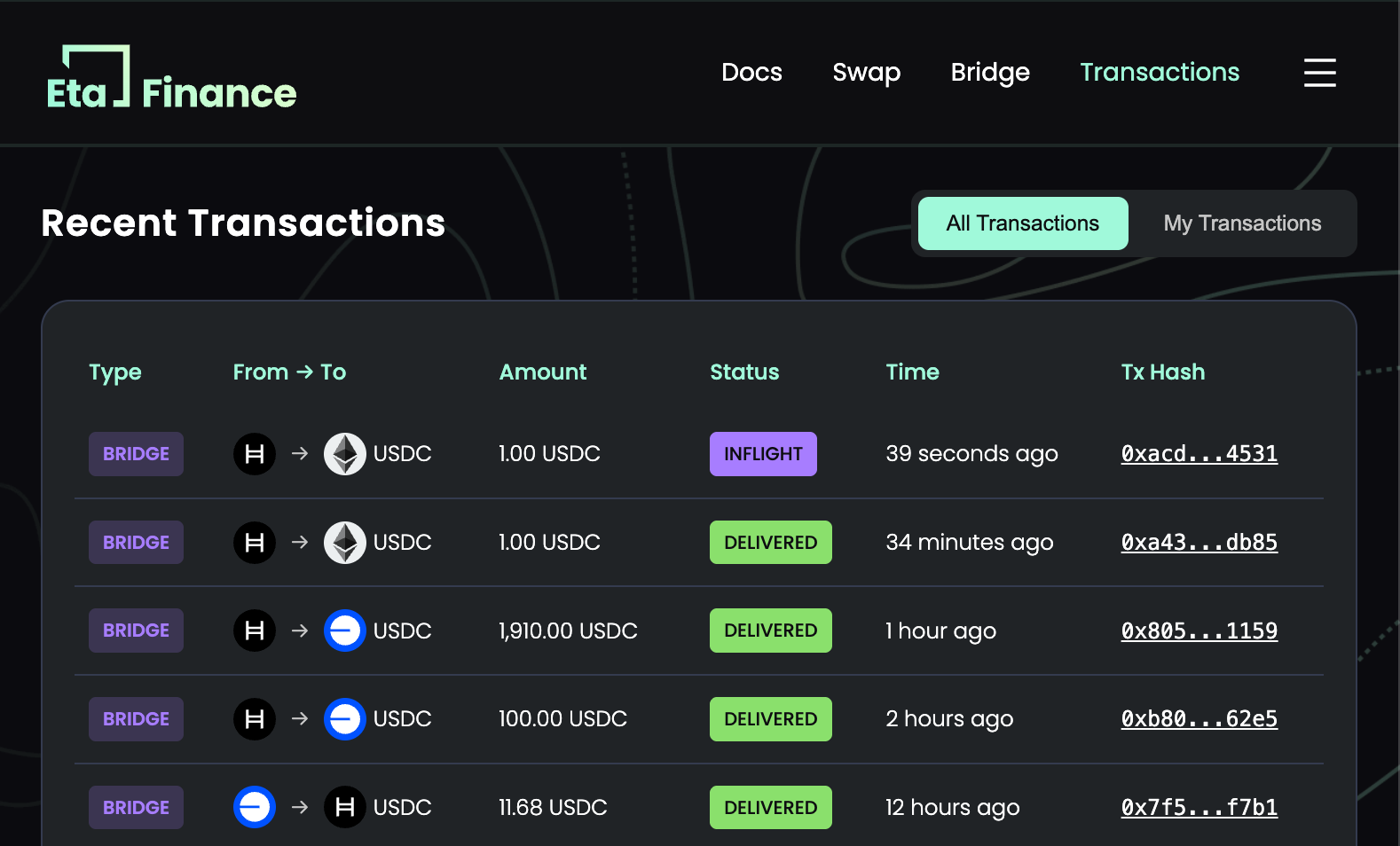
- Once the transaction is validated by the DVNs (Decentralized Verifier Networks), your tokens will be delivered to your wallet on the destination chain. This typically takes a few minutes.
Make sure you have enough native tokens on the source chain to cover gas fees for the approval and bridge transactions.
If the transaction fails on the destination chain due to insufficient liquidity, you'll need to wait for liquidity to be rebalanced and then manually execute the message, or contact the team for assistance.