
How to swap tokens
To swap your tokens at the best rate, follow these steps:
-
Connect your Hedera wallet.
-
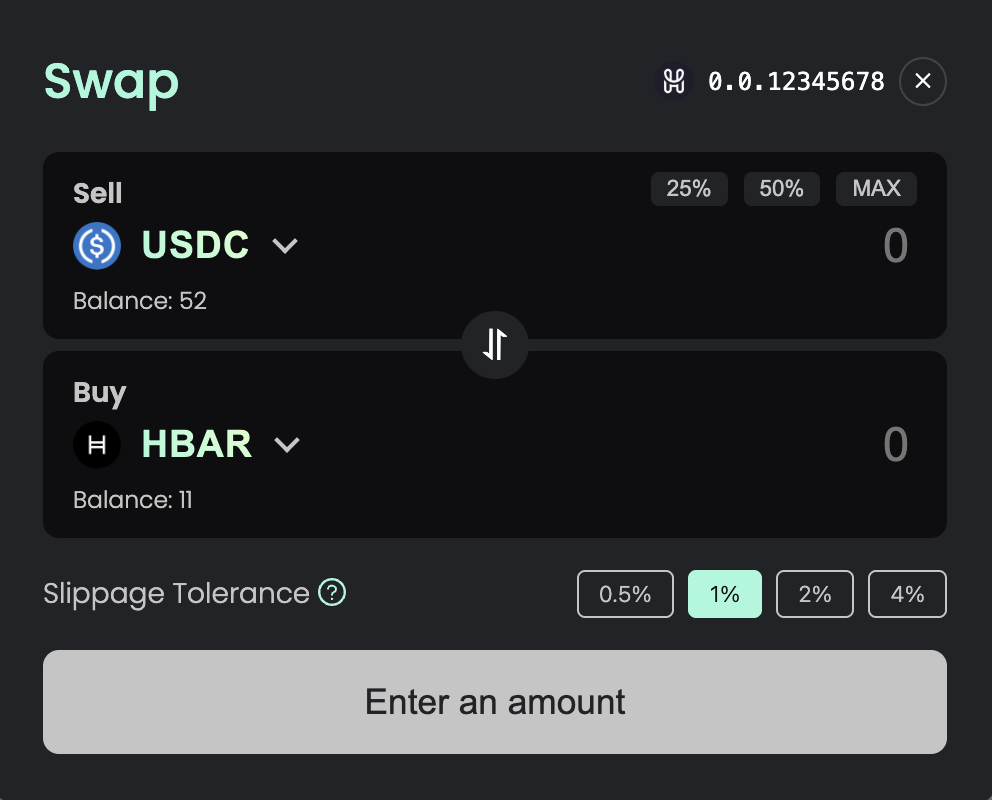
Choose the tokens you want to swap. The first row is the token you want to sell, and the second row is the token you want to buy.
-
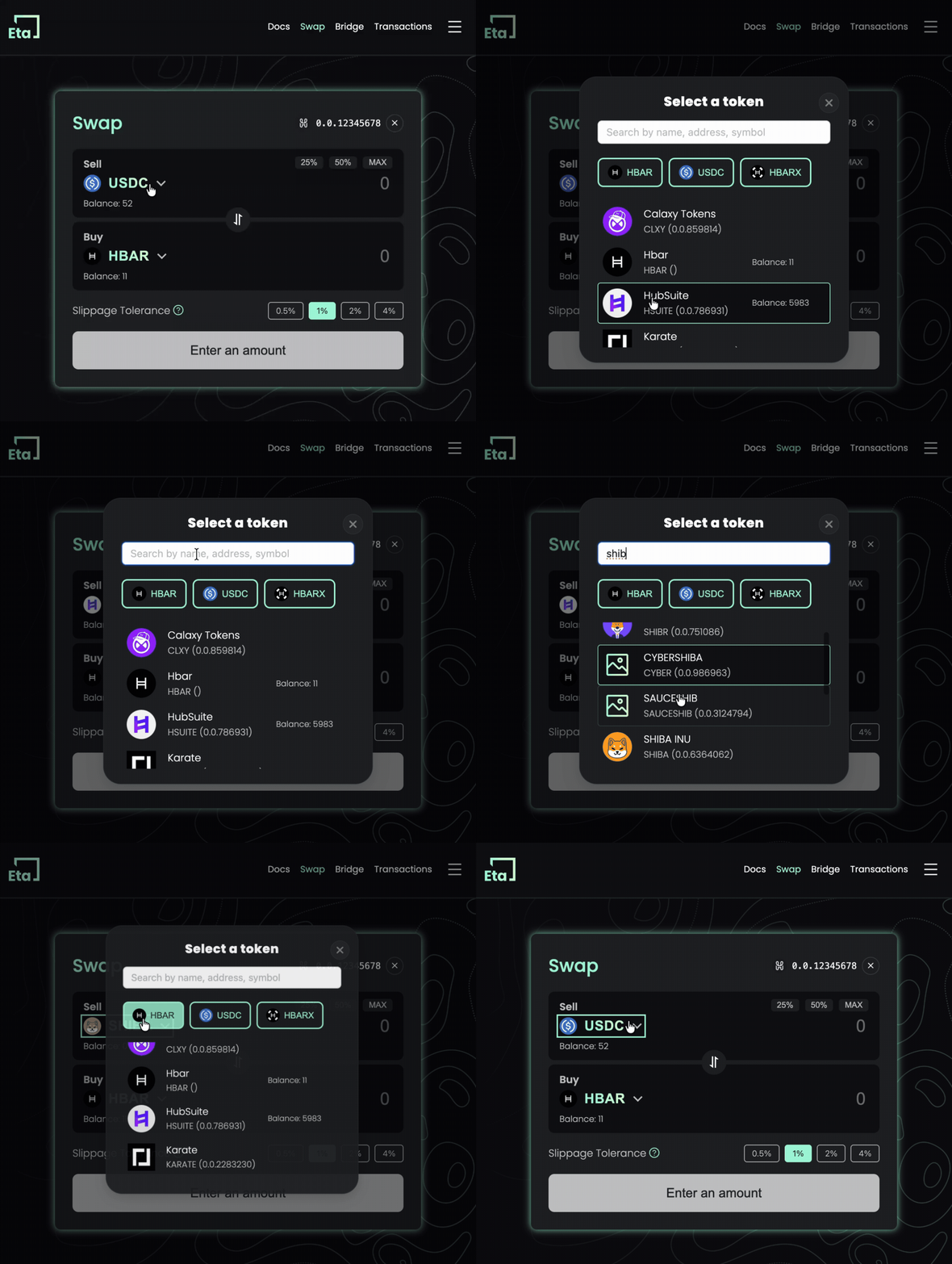
To select a different token, click the token symbol and search/select from the list.
-
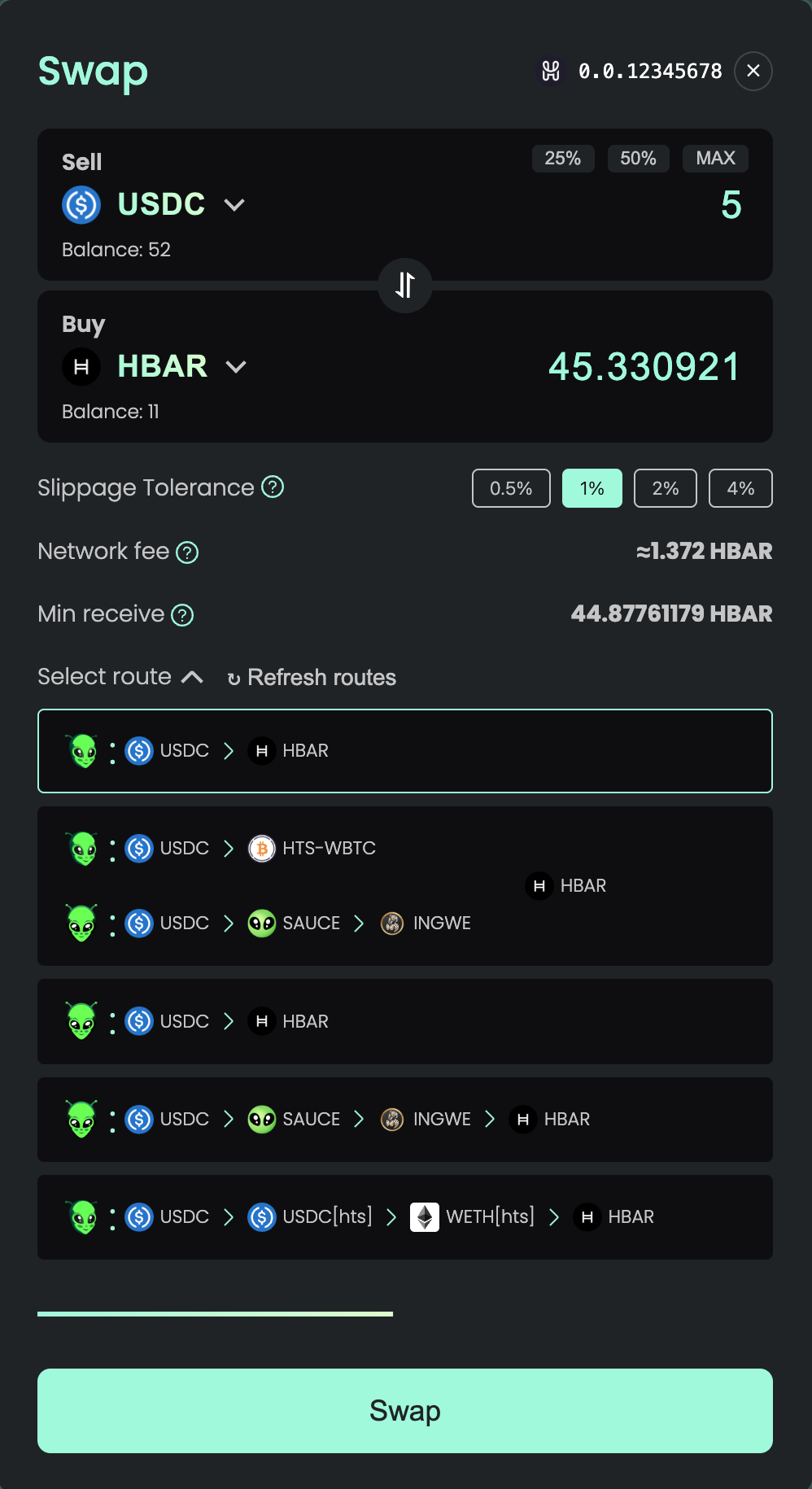
When you have selected the desired tokens, and entered the desired amount to sell, EtaFinance Swap will check prices on the exchanges and show you the routes that give the best exchange rate. Routes will refresh automatically to ensure you are getting up-to-date prices.
-
Before the swap action, make sure the tokens you selected are associated with your account. If at least one of the tokens is not associated with your account, the transaction will fail.
Note: you don't need to associate WHBAR to your account in order to swap HBAR to another token (only associate it if you want to swap exactly WHBAR). All operations with wrapping/unwrapping are already implemented in Adapter smart contract.
-
Set your slippage tolerance. This is the maximum price change you're willing to accept during the swap. If the price moves more than your selected percentage, the transaction will be cancelled to protect you from unfavorable rates. Options are 0.5%, 1% (default), 2%, or 4%. Higher slippage increases the chance of a successful swap but may result in a less favorable rate.
-
After clicking "Swap" - your wallet will ask you to sign two operations one by one:
- Approve allowance (will be omitted if you are selling HBAR)
- Smart contract execution